What Is a Brand in Post Later?
A brand in Post Later is a self-contained workspace for a single business, client, or project. Each brand has its own set of connected social accounts, content calendar, analytics, and AI brand voice settings.
If you're managing social media for multiple clients, each client gets their own brand. This keeps their content, data, and credentials completely separate.
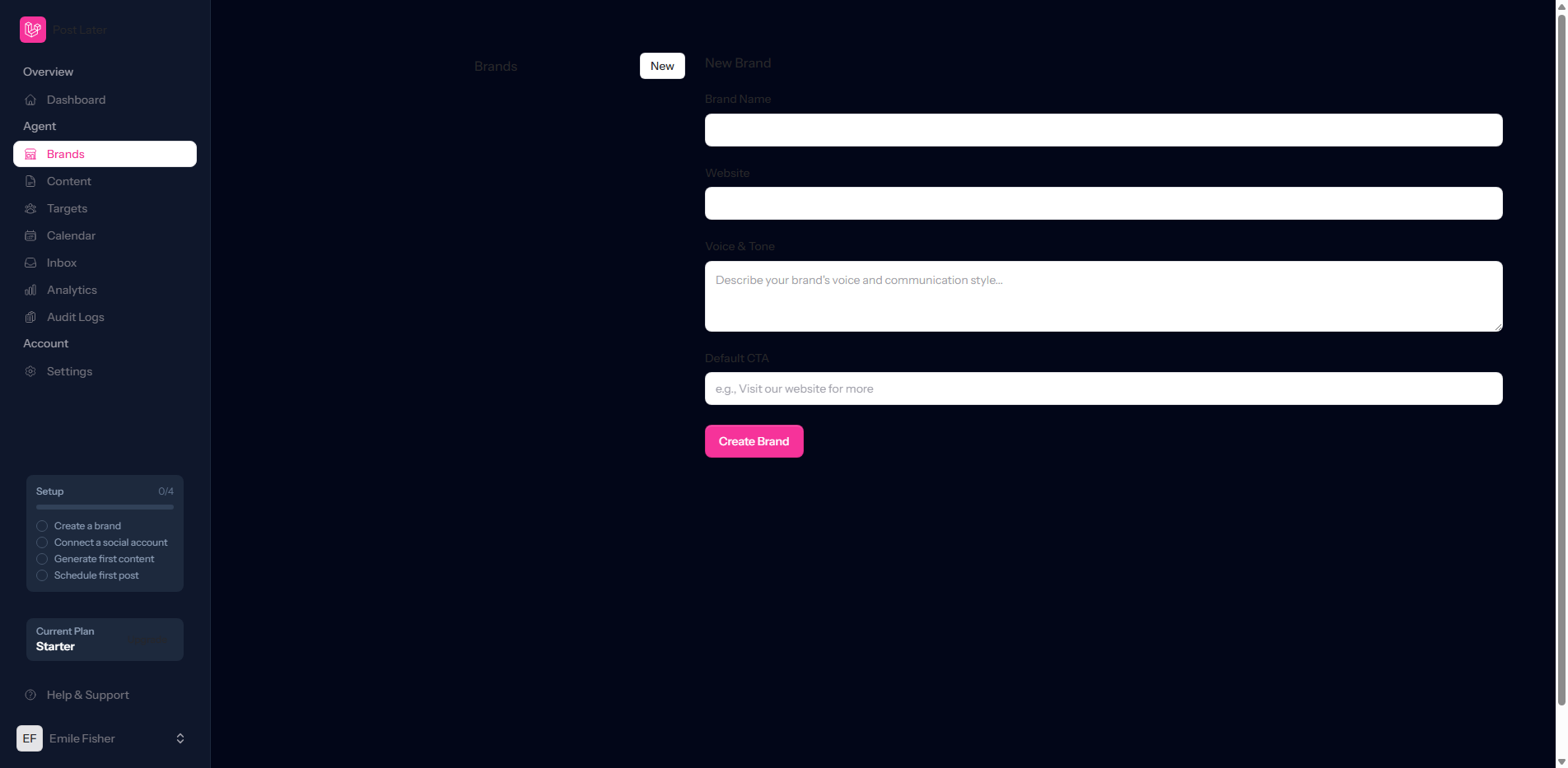
Creating Your Brand
To create a new brand, navigate to the sidebar and click Brands, then + New Brand. You'll be prompted to enter:
- Brand name: The name of the business or project
- Time zone: Used to calculate your local posting times accurately
- Brand logo: Uploaded as a square image and displayed in your brand selector and reports
- Website URL: Optional, but used by the AI Content Engine for context
Click Create Brand and your new workspace is live immediately.
Connecting Social Accounts
With your brand created, the next step is connecting the social platforms you want to publish to. Post Later currently supports Instagram Business accounts, Facebook Pages, LinkedIn profiles and company pages, and X (Twitter).
From your brand dashboard, click Connect Account and select the platform. You'll be redirected to that platform's OAuth authorisation screen. Log in, grant Post Later the permissions it needs, and the connection is established instantly.
You can connect multiple accounts per platform per brand. For example, you might connect both a personal LinkedIn profile and a company page under the same brand, allowing you to publish to both simultaneously with a single post.
Configuring Your Brand Voice
Once your accounts are connected, take five minutes to configure your brand voice settings. Navigate to Brand Settings → AI Voice and describe your brand's personality, tone, and any words or phrases you want the AI to use or avoid.
This configuration is what makes Post Later's AI Content Engine generate captions that actually sound like your brand rather than generic AI copy. With brand voice set up, you're ready to create your first post.